Configuring Git
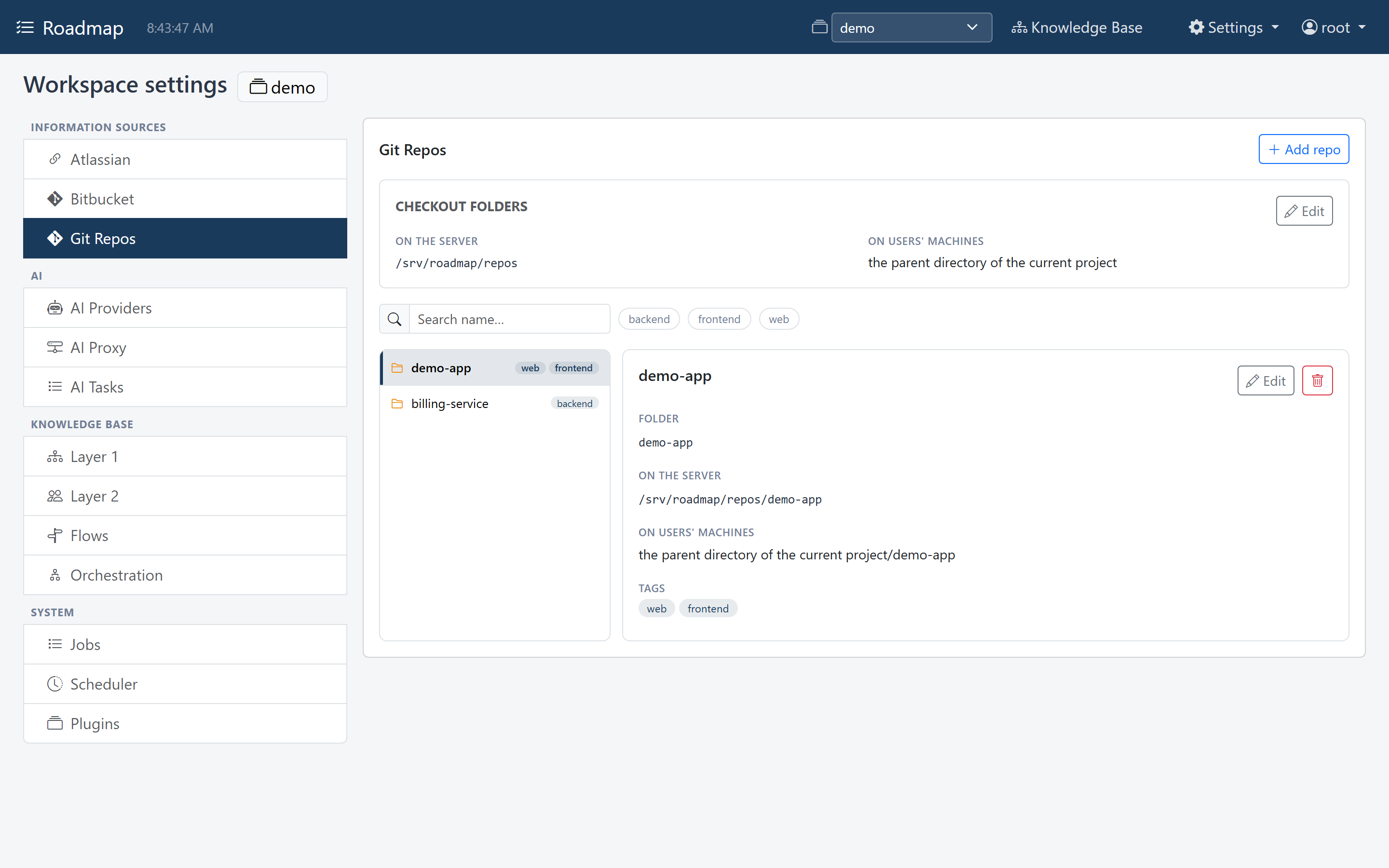
Roadmap reads Git through Git Repos: the repositories a workspace works with. Knowledge Base flows and the MCP tools use them.
Git Repos are configured per workspace, under Workspace settings → Information Sources → Git Repos.
Prerequisites
- Git on the PATH of the Roadmap server. Without it, file reads still work, but
branches and commits don't, and Knowledge Base flows can't record which commit
they read. Check with
git --versionin the terminal you start Roadmap from.
Two places a repository is
A repository is used in two situations, and it is in a different place in each:
| Situation | Who reads it | Where it is |
|---|---|---|
| On the server | Roadmap itself: Knowledge Base flows with a repo source, and the repository tools |
under the checkout folder on the server: a real path on the machine Roadmap runs on |
| On a user's machine | An AI working there, which gets a flow's brief or the repository tools over MCP | under the checkout folder on users' machines: a description in words, such as the parent directory of the current project, because it differs from user to user |
So a repository is just a Name and a Folder, and the two checkout folders say
once, for all repositories, where those folders are. With the checkout folder on the
server /srv/roadmap/repos, a repository demo-app is at
/srv/roadmap/repos/demo-app on the server, and an AI on a user's machine is told it
is at the parent directory of the current project/demo-app. In a single-user install
on your own machine, the two are the same place.
Both editions have both. Which one is used depends on who reads the repository.
Set the checkout folders
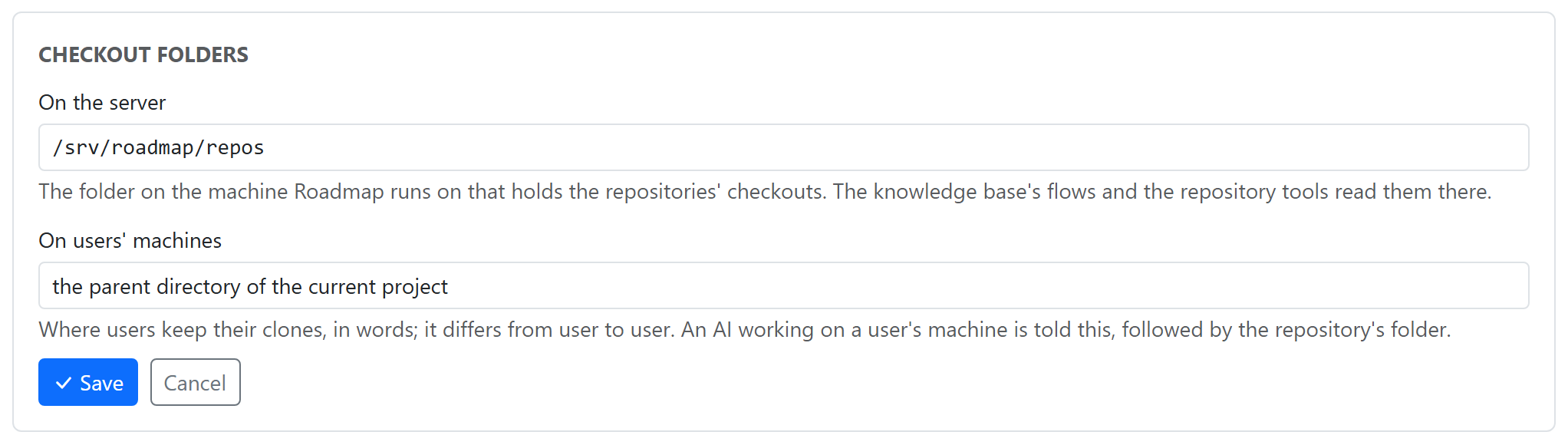
In the Checkout folders panel at the top, click Edit, fill in the two settings, and click Save:
| Setting | What it is |
|---|---|
| On the server | The folder on the machine Roadmap runs on that holds the repositories, for example /srv/roadmap/repos or C:\src. Type or paste it. |
| On users' machines | Where users keep their clones, in words, for example the parent directory of the current project. An AI working on a user's machine is told this, followed by the repository's folder. |
The server folder is on the server
On the server is a folder on the machine the Roadmap server runs on, not on the machine your browser runs on, and not a remote URL. When Roadmap runs in a container, it is a path inside the container: mount your repositories into it. Roadmap reads the checkouts as they are on disk, including changes you haven't committed.
Keep the server checkouts up to date
Roadmap doesn't clone, fetch or pull. Whoever runs the server clones the repositories into the server's checkout folder, and pulls when needed:
The folder each one is cloned into is its Folder in Git Repos.
Add a repository
- Click Add repo.
-
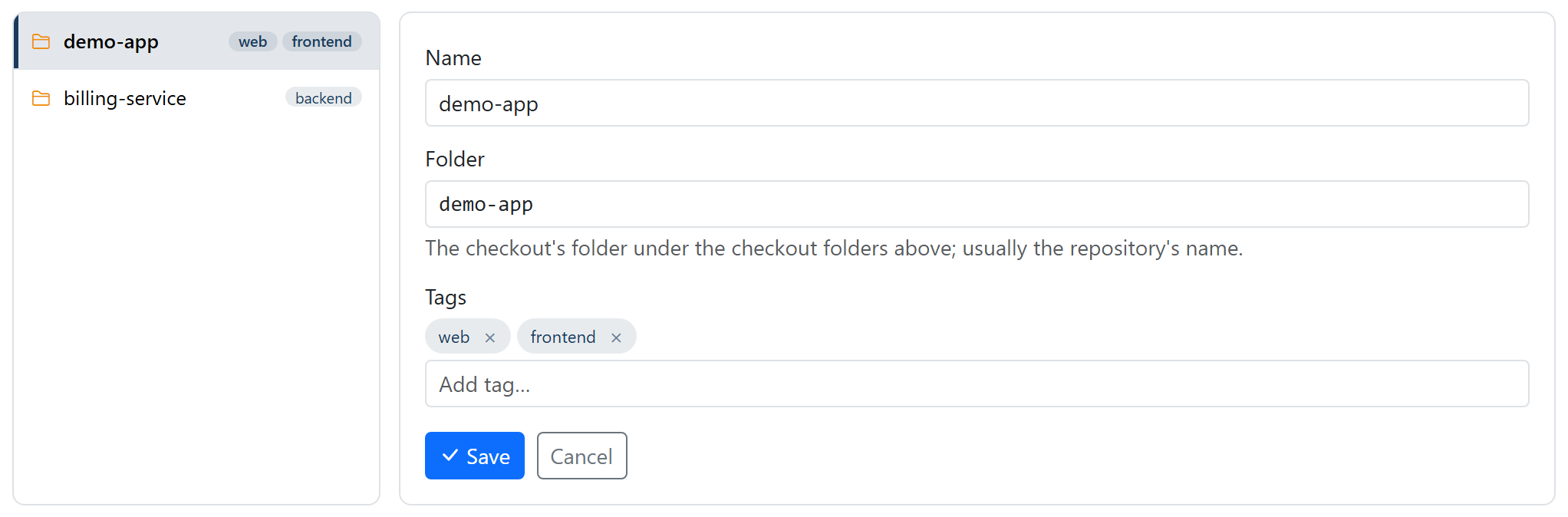
Fill in:
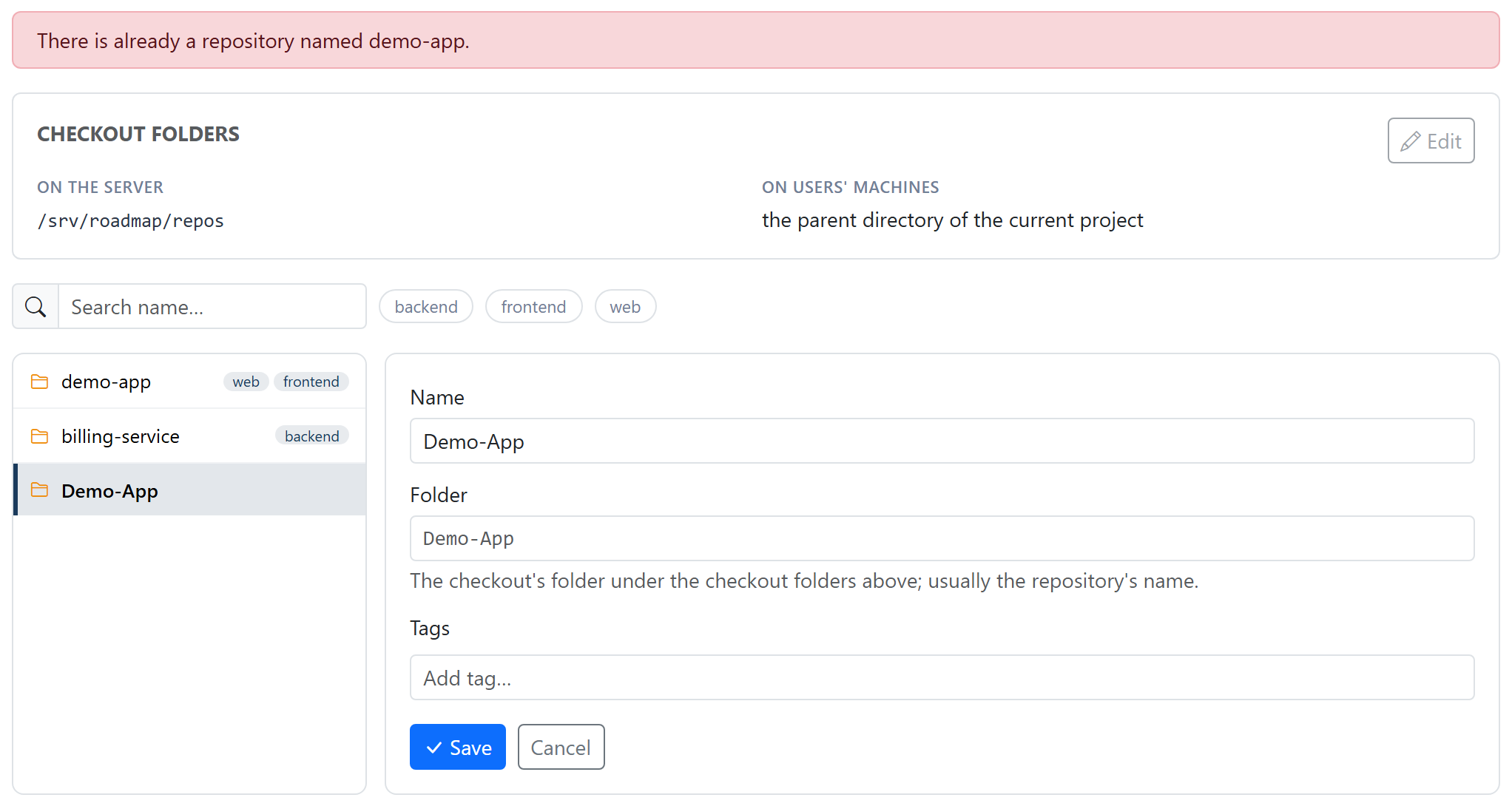
Field What it is Name How flows and the MCP tools refer to the repo. Leave it empty to use the folder. Names are unique, ignoring case: a name already in use is refused with There is already a repository named X. Folder The repository's folder under the checkout folders. Leave it empty to use the name, which is usually what you want. Tags Optional labels to filter the list by. Type one and press Enter. Fill in at least one of the two: with both empty, saving is refused with Give the repository a name or a folder. Usually you type only the name.
A name that is already taken is refused:
-
Click Save under the fields. That writes the repository to
config.yamlstraight away; there is nothing else to save. Remove is stored straight away too.
There is no folder dialog: type or paste names and paths. Roadmap doesn't check the folder when you save. If it is wrong, or the repository isn't cloned there, you'll find out when something reads the repo.
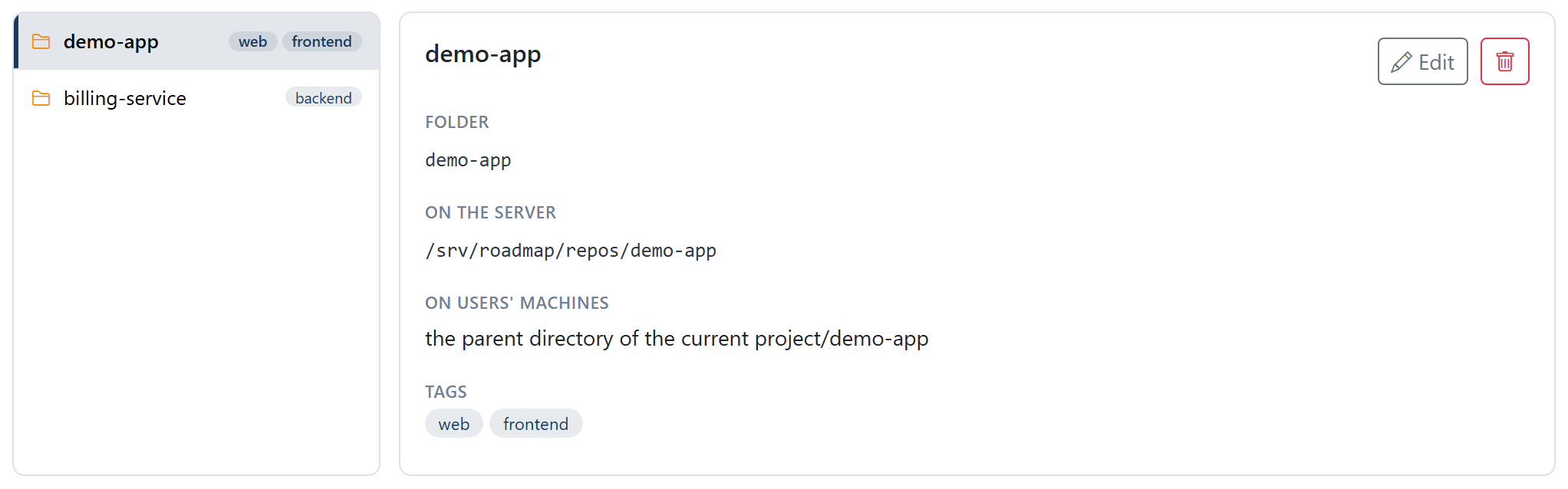
Select a repository to see where it is in both places, for example:
- On the server
/srv/roadmap/repos/demo-app - On users' machines the parent directory of the current project/demo-app
When a checkout folder isn't set, the detail says so, and asks you to set it:
- Without a checkout folder on the server, the repository has no place on the server, and flows can't read it.
- Without a checkout folder on users' machines, an AI on a user's machine isn't told
where the repository is. The MCP tools say on your machine: not set (its folder is
demo-app; ask the user where they keep it), and a flow's brief leaves out the On your machine line.
In the configuration file
Git Repos are stored in the workspace's config.yaml (see
where your data lives):
git_checkout:
  server_folder: /srv/roadmap/repos
  local_folder: the parent directory of the current project
repositories:
  - name: demo-app
    folder: demo-app
    tags: [backend]
Repositories with a full path
A repository saved before snapshot 10 has a full path instead of a folder. It
keeps working: the server uses that path. The next settings save moves it over, in
Git Repos or in any other settings screen.
If no checkout folder on the server is set, the folder holding the first such
repository becomes it, and a repository in that folder keeps only its folder name. A
repository elsewhere keeps its own path.
What uses them
- MCP tools.
list_git_reposlists the configured repositories, andget_git_repo_infogives one's branches and recent commits. Both say where it is in both places: on your machine: ...; on the Roadmap server: .... -
Knowledge Base flows. A flow with a
reposource names a Git Repo in itsref, and reads the files matchingscope.pathsfrom the checkout on the server:The
refmust match a Git Repo's Name exactly. If it doesn't, the run fails with No Git Repo called '...'. If the repository has no place on the server, or isn't cloned there, the run fails and says so. A flow's brief for an external AI ends with where the repository is on that AI's machine: On your machine it is at ..., when the checkout folder on users' machines is set. See Flows.